
 Olivia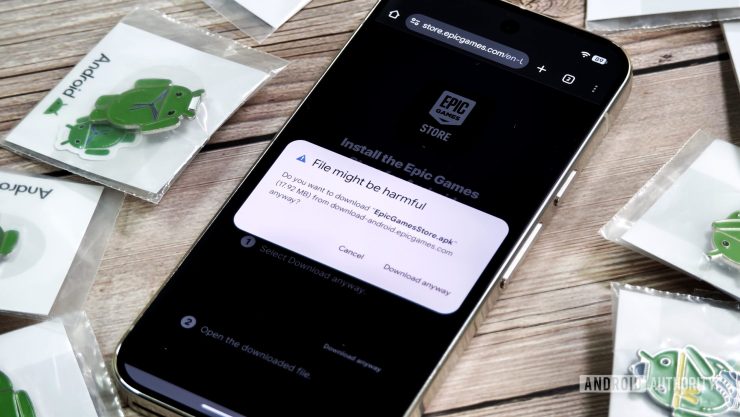
For traditional console gamers accustomed to the strict “walled gardens” of PlayStation, Xbox, or Nintendo, moving into the mobile gaming space can feel like the Wild West. Console ecosystems are highly curated; every piece of software is vetted, tested, and distributed through a single official storefront.
The Android operating system, however, is built on an open-source framework. This open architecture allows users to bypass the official Google Play Store and install software directly to their devices using APK (Android Package Kit) files. This process, known as “sideloading,” is incredibly popular among mobile gamers who want to access region-locked titles, install beta versions of upcoming games, or run retro game emulators that violate standard app store policies.
While sideloading unlocks the full potential of your gaming hardware, it completely bypasses standard security filters. Here is a step-by-step guide to safely installing third-party gaming applications without compromising your device or voiding your hardware warranty.
Step 1: Understanding “Install Unknown Apps”
By default, Android devices block the installation of any application that does not come from the official Play Store. To sideload a game, you must grant specific permissions to your web browser or file manager.
The Golden Rule of Sideloading: Never grant “Install Unknown Apps” permission globally.
In older versions of Android, this was a single toggle switch that left the entire device vulnerable. On modern Android systems (Android 10 and up), this permission is granted on a per-app basis. If you download an APK via Google Chrome, you only grant Chrome the permission to install it. Once the game is successfully installed, immediately return to your settings (Settings > Apps > Chrome > Install Unknown Apps) and revoke the permission. This prevents malicious background scripts from silently downloading and installing software in the future.
Step 2: Vetting the APK Source
The single greatest risk of sideloading is the source of the download. Because mobile gaming is a massive global industry, cybercriminals frequently clone highly anticipated games, inject the APKs with malware or spyware, and distribute them on fake forums or Reddit threads.
To mitigate these risks, players should never click blind links on social media. Instead, you must rely on established, verified community databases, official developer GitHub repositories, or dedicated technical portals that curate safe app downloads for mobile users. Relying on trusted directories ensures that the APK file you are downloading is the original, unmodified code intended by the developer.
Step 3: Utilizing Emulators and Cross-Platform Devices
Sideloading isn’t just for smartphones. With the rise of Android-based handheld consoles (like the Ayn Odin or Retroid Pocket) and the ability to run Android subsystems on Windows, sideloading has become a core skill for the modern hardware enthusiast.
When downloading emulators or game clients for these specialized devices, the hardware specifications matter. Always ensure you are downloading the correct APK architecture (e.g., ARM64 vs. x86_64). Forcing a 32-bit application onto a modern 64-bit handheld console will not only result in terrible gaming performance and frame-rate drops, but it can also cause system instability and continuous app crashes.
Step 4: The Post-Installation Security Sweep
Once your third-party game is installed and running, your security protocol is not quite finished. You must perform a post-installation audit to ensure the application is behaving normally.
- Check App Permissions: Go into the game’s settings. A standard offline RPG or retro emulator has absolutely no business requesting access to your contact list, your SMS messages, or your microphone. If a sideloaded game demands these permissions to run, uninstall it immediately.
- Run Play Protect: Open the Google Play Store, tap your profile icon, and run a manual scan with Google Play Protect. While Play Protect is designed primarily for official store apps, it maintains a robust database of known sideloaded malware signatures and can flag a dangerous APK after it has been installed.
The Verdict on Open Ecosystem Gaming
The ability to sideload software is what makes Android the platform of choice for mobile gaming enthusiasts and hardware tinkerers. By maintaining strict permission hygiene, verifying your download sources, and auditing post-installation behavior, you can safely enjoy the massive world of independent and region-locked gaming without putting your personal data at risk.

Add comment